The Ultimate Video Checklist
Pro Tip: Bookmark this, then pull this up before you record any video-based event or content. -Justin
Before the event
Appearance
- I don't have any stains or buttons misbuttoned.
- My hair looks okay.
- There isn't anything distracting in the background.
- My glasses aren't reflecting lights or windows in a distracting way (a little bit of reflection is normal).
- My clothing contrasts with the background.
- My collar and tie are straight.
- My phone, keys, or anything bulky aren't creating awkward pocket bulges.
Camera
- Camera is at eye level or slightly above.
- My eyes are in the top third of the frame. Example here.
- The camera lens is clean.
- I'm looking into the camera, not at myself.
- The camera is stable and won't shake. (Don’t touch the table.)
- Notifications are hidden on my screen if I'm sharing.
Lighting
- My face isn't washed out.
- My face isn't too dark.
- There aren't any shiny spots on my face.
- There aren't harsh shadows across my face.
- My lighting stays consistent if clouds pass or the sun moves.
- The background isn't brighter than I am.
- My white balance looks natural (skin doesn't look blue or orange).
Sound
- There are no background noises (HVAC, fans, traffic, pets, etc.).
- All devices are in Do Not Disturb mode.
- I'm not recording with AirPods or other Bluetooth earbuds. (These can condense the signal and hurt the audio quality.)
- The correct microphone is selected.
- I don't touch or bump the microphone. (I’m so guilty of this myself.)
- The pattern of the microphone matches how I’m using it.
After the event
Editing
- Budget time to edit—or budget money for a professional editor. Even AI needs human review.
- Remove long pauses, filler words, false starts, and tangents.
- Trim the onramping.
- Cut dead space between sentences.
- Choose a compelling opening 3-5 seconds and put it at the front.
Captions
- Add captions.
- Make sure captions don't cover the speaker's mouth.
- Break captions into readable chunks. Not paragraphs.
Graphics
- Add an on-screen title for context. Example here.
- Make sure any screenshots are legible on your viewer’s itty-bitty phone screen.
The post
- Budget time to write the accompanying post.
- Start with a strong first line (this is the hook).
- Include a clear takeaway, e.g. a “moral of the story”.
- Include a Call to Action (CTA) if driving clicks to a separate resource or event. (Not necessary for every post.)
Quality check
- Double-check caption spelling, especially names, companies, and acronyms. Verify punctuation where it changes meaning.
- Make sure the lips moving match the sound.
- Make sure the thumbnail is compelling.
- Check that all names, titles, and logos are accurate.
Gut Check
- Does the clip stand on its own without podcast context?
- Does the first sentence create curiosity?
- Is there only one core idea?
- Did I remove references like "as we talked about earlier..."?
- Does the video teach something?
Still not sure?
Apply for your free video session. I’ll coach you through how to set everything up and even record your first video together. No scripts. No prep. No hassle. -Justin
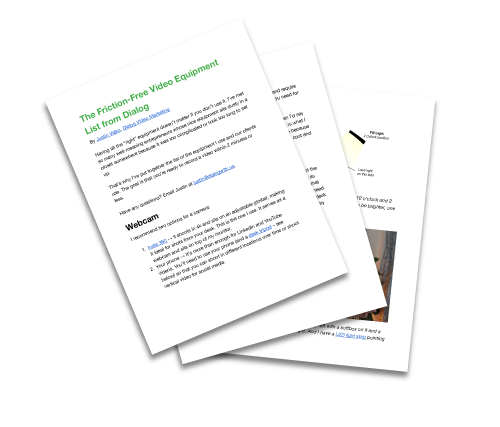
Get the same video equipment list we recommend to clients.